
Appearance
UDINA Spaces
What if the application were the conversation — and the pages built themselves? UDINA Spaces is the delivery experience of the AI-Driven Development Model: an intent-driven, metadata-driven enterprise portal on SAP CAP and a React runtime, where users compose their own work areas from semantic intents and drive them either by click or by natively integrated AI chat.
Core idea
Spaces compose intents, not React components. A user assembles work areas from semantic business actions (SalesOrder-display, Project-analyzeRisk); the runtime resolves each intent to a page and renders it generically from CAP annotations plus UDINA metadata. Analogous to SAP Joule, the assistant is a first-class way to navigate and act — but it only ever works through approved CAP services.
The idea, borrowed from Joule Work
SAP Joule turns the copilot from a Q&A box into a worker: it navigates, prepares actions, and completes tasks across SAP applications on the user's behalf. UDINA Spaces applies the same principle to Hyper-Abstracted CAP applications — with the annotated domain model as the contract the assistant reasons over, so the chat can do the work, not just describe it, while all business execution stays under CAP authorization.
Examples
A few real work areas assembled on UDINA Spaces. Each is composed entirely from intents and rendered generically from CAP annotations plus UDINA metadata — no hand-built React pages.
CAD Studio
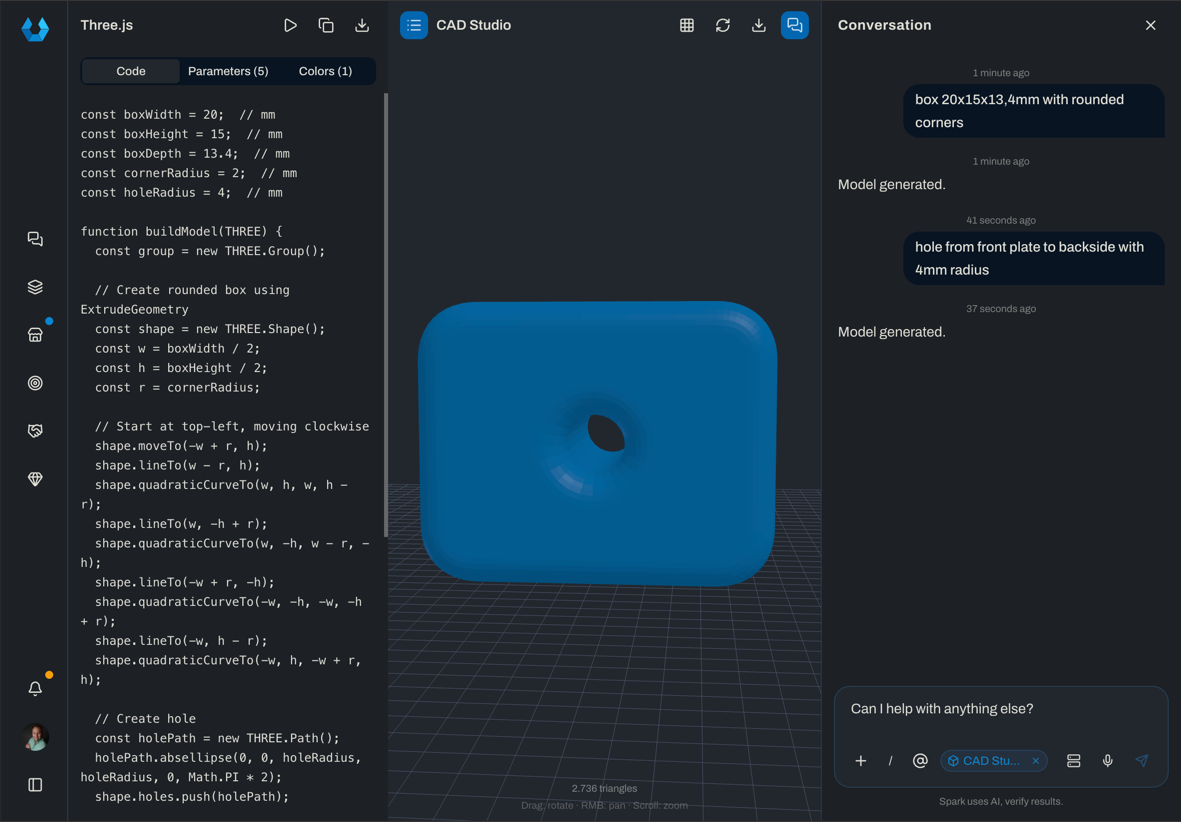
Design instructions phrased in natural language in the chat are analyzed by the AI and returned as structured Three.js code. Every parameter is exposed as a variable, so it can be fine-tuned with sliders in the UI. The result is viewed in real time through the integrated 3D viewer — rotate and zoom to inspect it — and can be exported as STL, for example to print it on a 3D printer.
UNIORG Brandstore
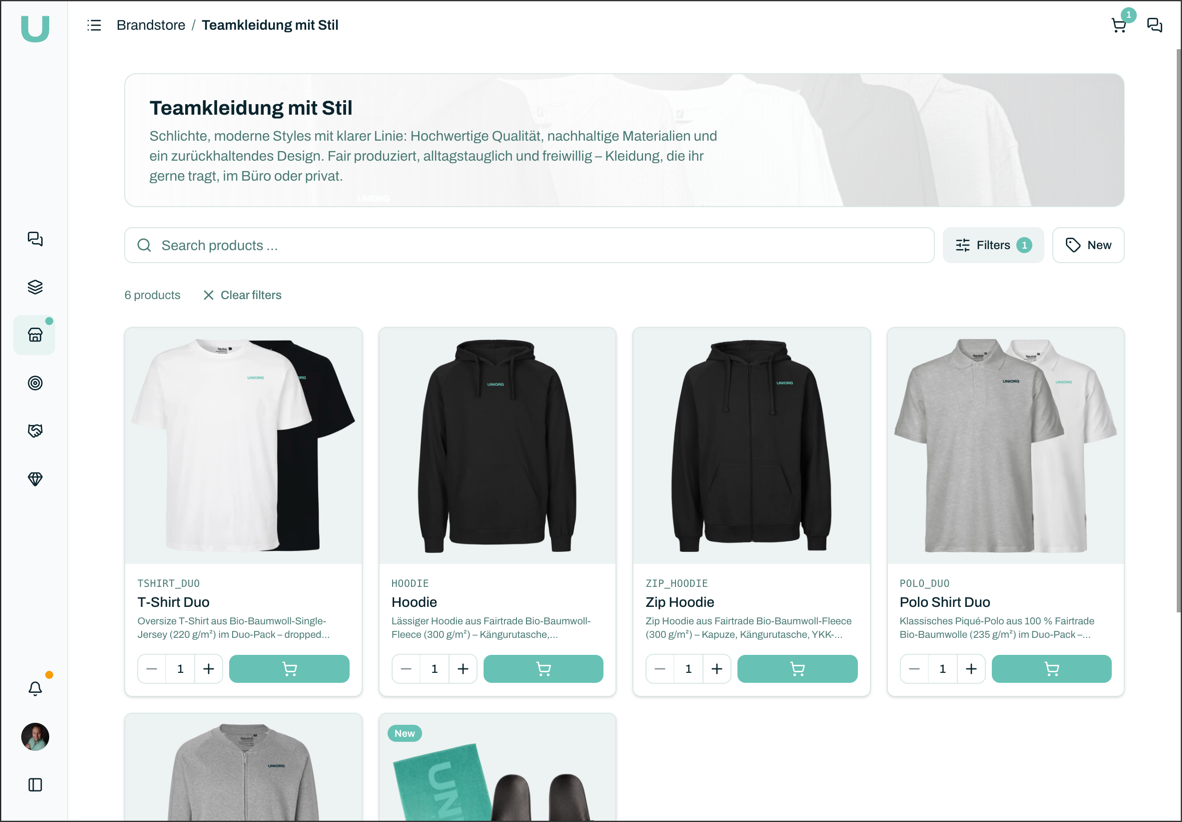
The UNIORG-internal shop for team apparel, where employees place their orders. The store supports variant configuration, ordering directly from the chat via human-in-the-loop, and order tracking for a user's own orders. It is natively coupled with SAP Build Work Zone and SAP Build Process Automation.
Deal Maker
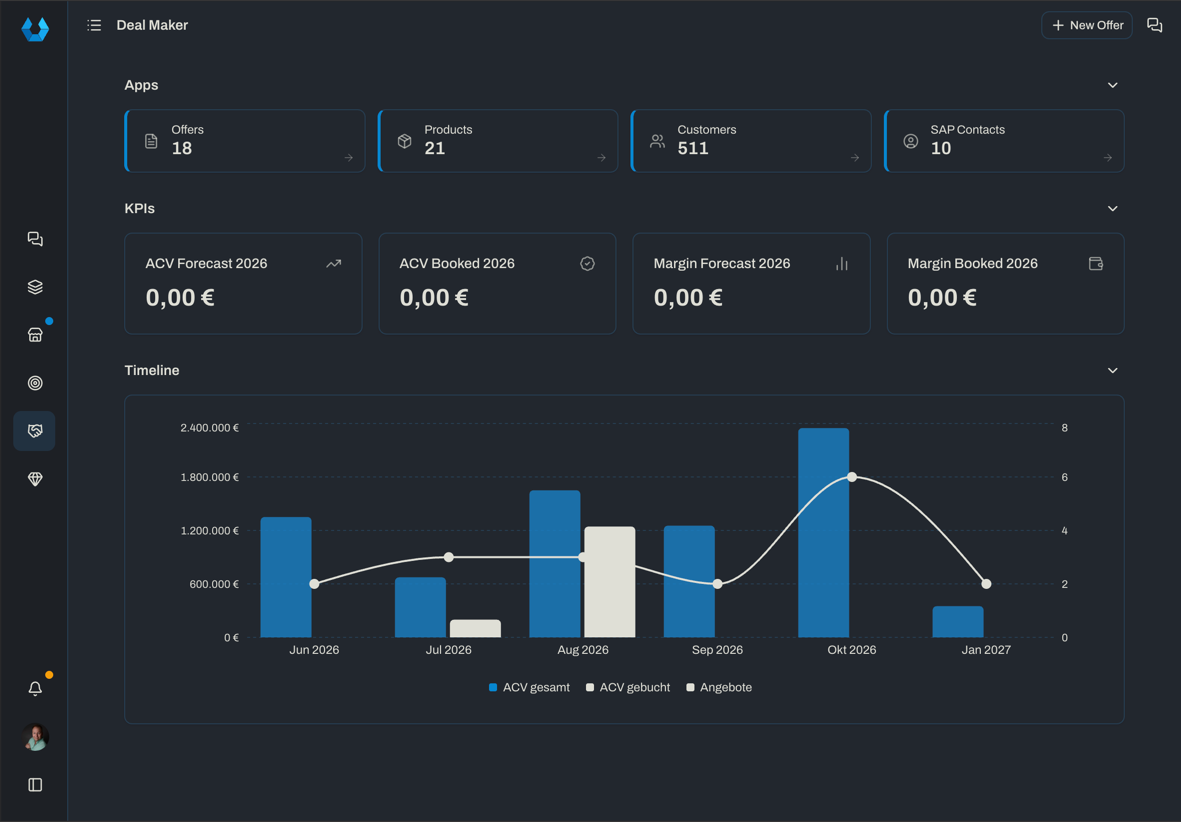
A PoC in which a sales employee created an app requirement through vibe coding — a citizen developer in SAP parlance. This produced a CAP domain-driven data model, for which an intent-based ListReport/ObjectPage blueprint pattern is generated.
Scan Boy
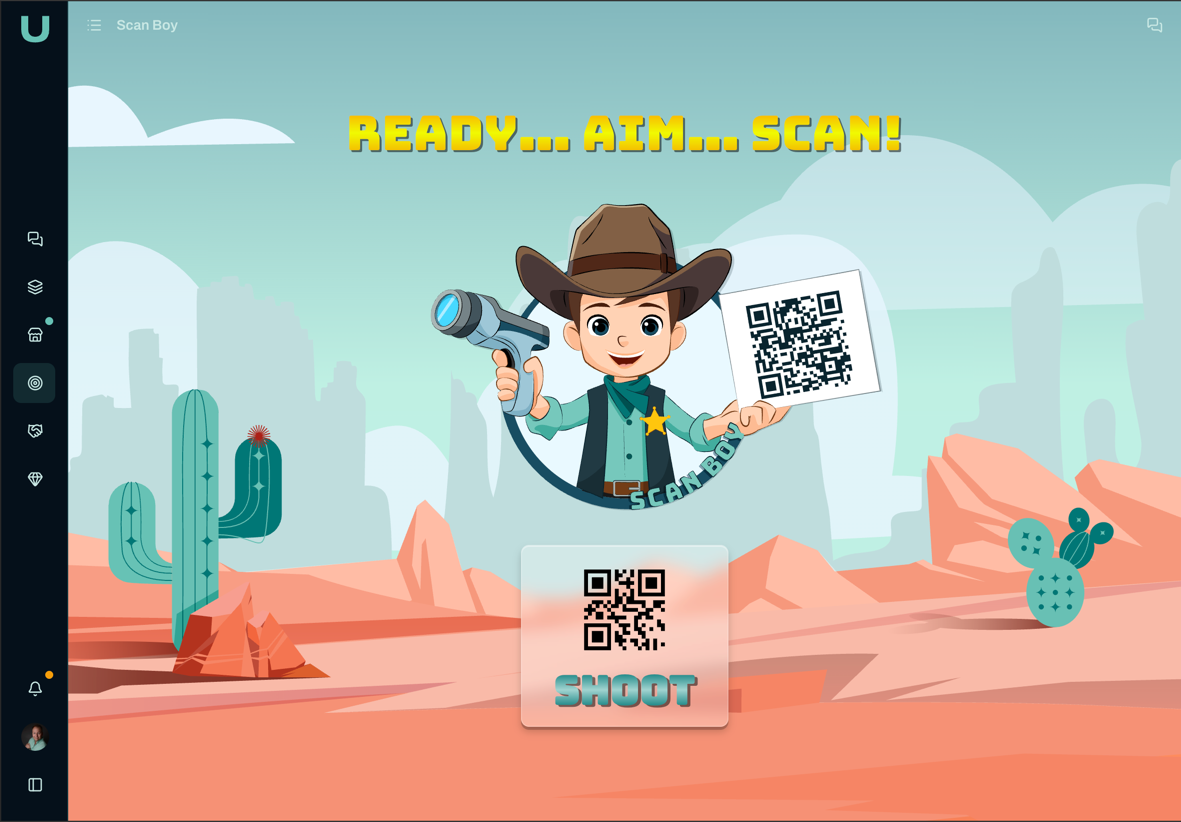
First shown at UI5con 2025 as a SAPUI5 app. As a game, the application demonstrates the UDINA Fusion Edge integration, where Node-RED connects a Zebra scanner to the BTP through a CAP plugin, so the scanner can be used for user inputs. The game generates a word along with matching QR codes that have to be "shot" with the scanner as fast as possible. This year, at the DSAG Annual Congress 2026, Scan Boy returns as a prize game at the UNIORG booth.
UDINA Fusion Edge
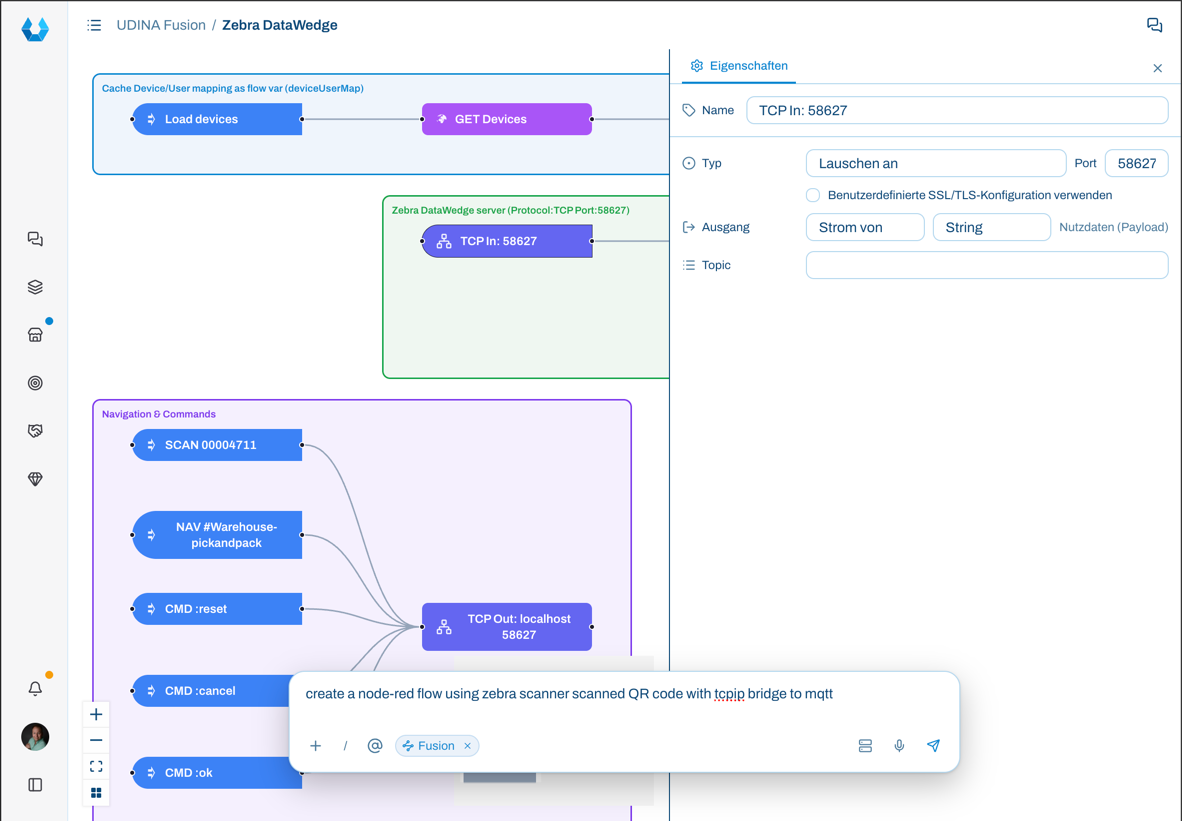
Native Node-RED integration with UDINA Fusion Edge, where the flow is rendered with React Flow. Through the AI chat, new flows are vibe coded (in JSON format) and are deployed to and available in Node-RED right away. The bidirectional, asynchronous MQTT integration between CAP and Node-RED thus bridges — with the help of the UDINA Fusion Edge Agent — edge-operated devices and a BTP cloud-based CAP solution.
SAP Autonomous Enterprise
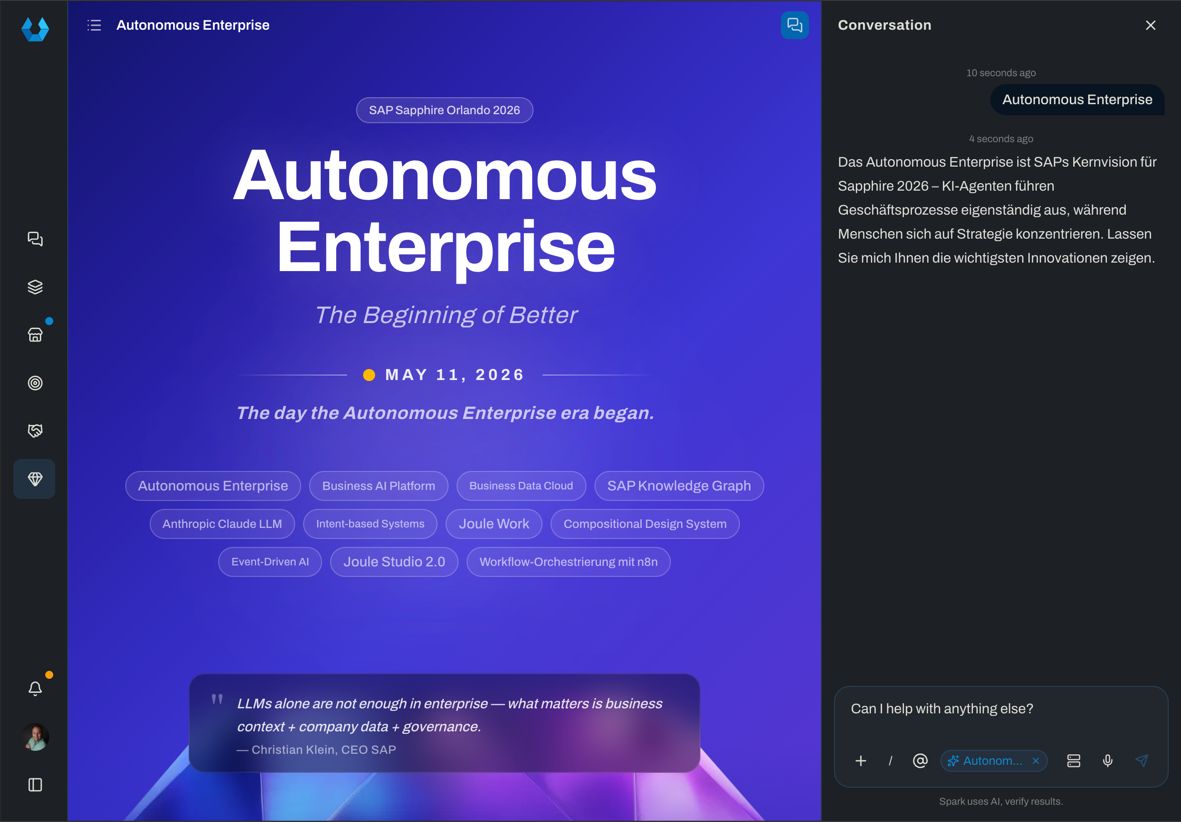
An example of live-generated website content based on the information and topics of SAP Sapphire 2026. Ask the AI about a topic and have it build a website that delivers explanations and further links around the SAP North Star architecture.
Separation of concerns
The system deliberately splits what would otherwise be tangled into one UI codebase:
| Concern | Owns |
|---|---|
| Spaces | Business work areas and navigation content |
| Intents | Semantic user intentions (SemanticObject-action) |
| Target mappings | Resolution of intents to technical pages/routes |
| CAP/OData annotations | Business and field semantics (source of truth) |
| React runtime | Generic page rendering from metadata |
| Extensions | Customization of standard pages via registered slots |
| AI / MCP | Controlled business capabilities exposed through CAP services |
Main layers
1. Space layer
Spaces are role-, tenant-, and user-specific work areas made of pages, sections, and space items. A space item references an intent plus optional default parameters — never a React component directly. Spaces group related business intents into tiles, cards, widgets, and links; support role-based assignment; and let users safely design their own workspace through personalization.
2. Intent layer
Intents follow the SAP-style SemanticObject-action pattern — a semantic business action, not a route:
text
SalesOrder-display
SalesOrder-review
Customer-manage
Project-analyzeRisk
The intent resolver maps an intent plus parameters to: route, target page type, service, entity set, annotation path, actions, AI configuration, and policies.
3. Target mapping layer
Target mappings are the technical resolution of an intent, deciding which page type it opens:
ListReport · ObjectPage · AnalyticalPage · CustomPage
Generate, don't hand-build
For standard CRUD scenarios no feature page is created — the runtime generates pages dynamically from metadata. Custom feature pages are the exception, used only when the interaction model is no longer a standard list/object/report experience.
4. Metadata layer
Two metadata sources, kept strictly non-overlapping:
CAP / OData metadata — the source of truth for field and entity semantics, never duplicated in the UDINA database:
UI.LineItem · UI.FieldGroup · UI.Facets · Common.ValueList · Common.Text · Measures.ISOCurrency · Measures.Unit · Capabilities.*
UDINA metadata — stored in the database, describing experience semantics: spaces, pages, sections, space items, intents, target mappings, extensions, visibility rules, policies, AI configuration, MCP configuration, and user personalization.
React runtime
The frontend stack — React, Vite, TanStack Query, Tailwind CSS, shadcn/ui — ships generic page renderers (ListReport, ObjectPage, AnalyticalPage) that render from a merged page blueprint:
text
CAP/OData annotations
+ UDINA DB metadata
+ user/role/tenant personalization
= final React page blueprint
Extension model
Customization follows a progressive model — reach for the lowest level that does the job:
| Level | What it is |
|---|---|
| 0 | Generic metadata-driven page |
| 1 | Configured page |
| 2 | Generic page with extension slots |
| 3 | Fully custom feature page |
Feature code should usually provide extensions, not full pages. Supported slots include:
text
header.before      header.after       header.actions
section.before:<SectionId>            section.after:<SectionId>
section.replace:<SectionId>
table.toolbar      table.rowActions   footer.actions
sidePanel          ai.context
The database never stores executable code
Extensions are referenced by name in the database; the actual React components are registered in code:
ts
extensionRegistry["SalesOrderRiskPanel"] = SalesOrderRiskPanelUser & personalization
User identity comes from the authentication provider (XSUAA / IAS). Roles and groups are read from the authenticated user context/token — not blindly duplicated into the database. The UDINA database stores only application-specific user data: profile cache, preferences, favorites, recent items, space personalizations, intent preferences, AI preferences, and optional AI memories.
AI & MCP layer
AI is integrated as a controlled assistant layer, running inside the CAP AI layer — never in the browser. The LLM must not directly manipulate the UI or bypass CAP services.
| Allowed | Not allowed |
|---|---|
| Understand user intent | Direct database access |
| Suggest navigation | Arbitrary UI generation |
| Summarize business objects | Bypassing CAP authorization |
| Prepare actions | Executing CAP actions without policy checks |
| Call approved MCP tools | Destructive actions without confirmation |
| Assist with workflows |
CAP services are exposed through the MCP Protocol Adapter — the @cap-js/mcp plugin — as tools, resources, and prompts, so any MCP-capable agent can discover and invoke them in natural language. A service opts in with a single annotation, treating MCP as just another protocol alongside OData/REST:
cds
annotate CatalogService with @mcp;      // expose over MCP
annotate CatalogService with @odata @rest;
MCP tools map to approved CAP services/actions only.
The domain model is the tool catalogue
A well-annotated CAP service is a machine-readable contract. Entities, actions, and functions become the vocabulary the assistant reasons over — no separate tool definitions to maintain, and authorization stays enforced in CAP regardless of whether a request arrives by click, chat, or MCP.
Conversation model
Conversations are stored per authenticated user and scoped to context — global, space, intent, entity, or task. The right-side assistant panel loads the conversation that matches the current context (global chat, space chat, intent chat, object chat). Messages are append-oriented and store: role, content, tool calls, tool results, metadata, token counts, latency, and error state.
Architectural rules
- Spaces compose intents, not components.
- Intents describe semantic actions, not routes.
- Target mappings resolve intents to pages.
- CAP/OData annotations own field and entity semantics.
- UDINA DB metadata owns experience, intent, AI, and personalization semantics.
- React renders generic pages from page blueprints.
- Extensions customize standard pages through named slots.
- Custom feature pages are exceptions, not the default.
- AI uses MCP/CAP tools only.
- All business execution remains controlled by CAP authorization and policies.
UDINA Spaces, in one line
A domain you can assemble and talk to — intents rendered as generic pages, drivable by click, by conversation, or by MCP, always under CAP control.