
Appearance
Fiori Blueprint Generator
Design your SAP Fiori app visually, then let Claude Code build it.
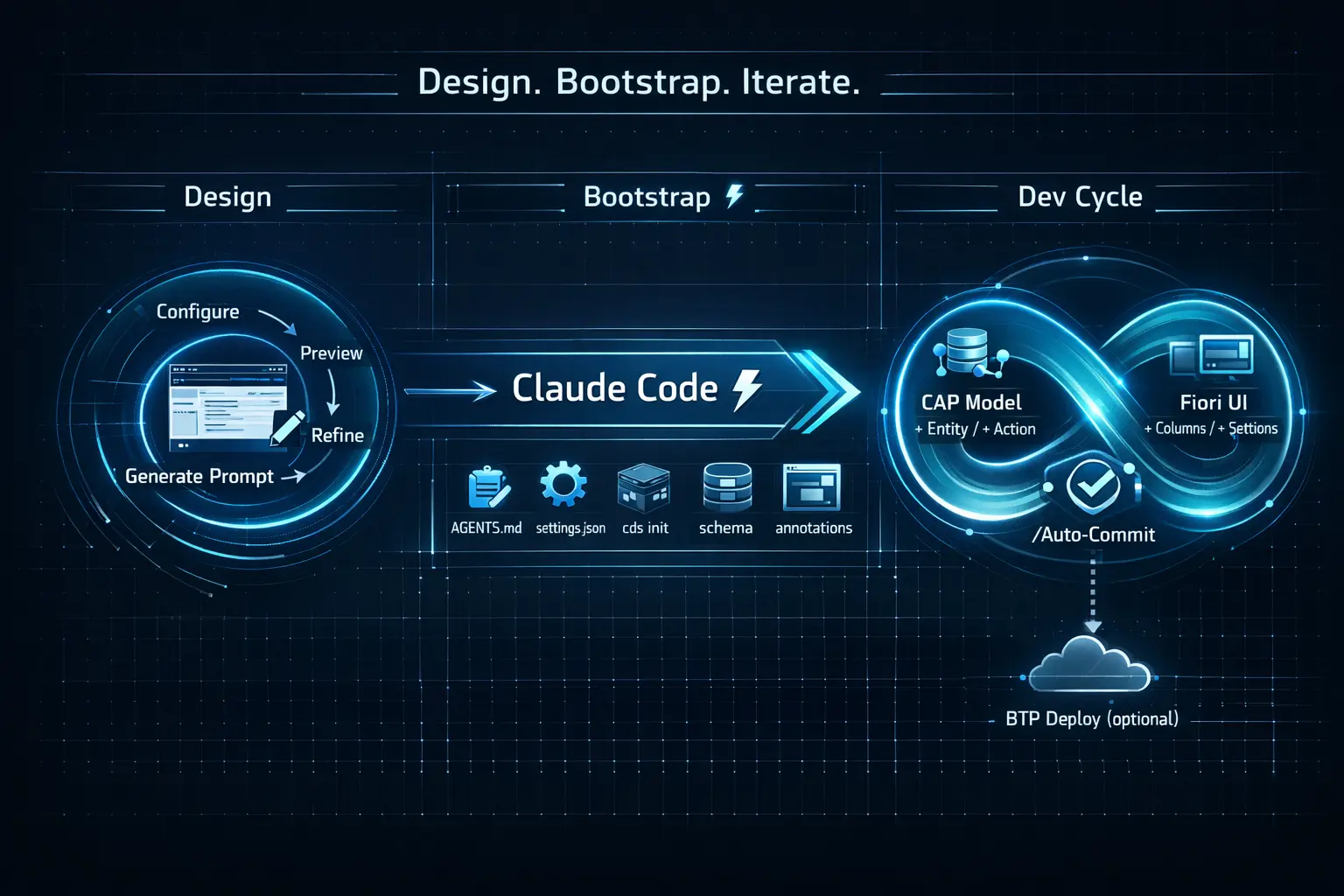
The wizard configures a List Report & Object Page, renders a live prototype, and generates a complete AI prompt that scaffolds the full CAP + Fiori Elements project — including dev workflow setup, custom commands and BTP deployment.

Setup MCP Tools for Claude Code
To enable the SAP-related MCP servers in Claude Code for VS Code, first verify the prerequisites, then register the servers.
1. SAP Fiori Tools – Extension Pack (VS Code)
Open the Extensions panel (Cmd+Shift+X) and search for SAP Fiori Tools - Extension Pack. Required version: ≥ 1.21.0. If outdated, click Update.
2. @sap/generator-fiori — minimum v1.21.0
bash
npm list -g @sap/generator-fioriIf below 1.21.0 or not installed:
bash
npm update -g @sap/generator-fiori3. Register MCP Servers
Check which servers are already active:
bash
claude mcp listIf cap, fiori or ui5 are missing, register them (stdio, user scope):
bash
claude mcp add -s user cap -- npx -y @cap-js/mcp-server
claude mcp add -s user fiori -- npx -y @sap-ux/fiori-mcp-server
claude mcp add -s user ui5 -- npx -y @ui5/mcp-server
This registers the @cap-js/mcp-server, @sap-ux/fiori-mcp-server and @ui5/mcp-server globally in Claude Code, making them available for AI-assisted app generation.
Open Command Palette:❯ Developer: Reload Window
Apple: ⌘ + ⇧ + P | Windows: Ctrl + ⇧ + P